
React Native has consistently evolved its framework. It always delivers better performance, better developer workflows, and trendier applications. When React Native 0.83 was released on 10th December 2025, it just achieved another phenomenal milestone. As a React Native development company, we are quite happy with the new version of React Native. Our team can now deliver outstanding applications with a single codebase and has access to many of the newest features.
For us, what really matters is that React Native has never tried hard to impress developers. With its new release, teams can ship and maintain apps with greater accuracy. Now, we don’t fear upgrading applications, and we do not have to deal with tooling regressions. It helps us refine upgrades, brings API compatibility, and improves the entire performance of the applications.
What is React Native 0.83?
The latest version of the React Native framework, 0.83, is now available in a stable release. Majorly, it includes tooling upgrades, performance visibility, safer upgrade paths, and alignment with the React core. Some of the most notable features that made React Native 0.83 highly acceptable were its rich developer experience, platform consistency, clear debugging, and readiness for long-term architecture.
With a lot of expectations and excitement, our team is all set to work on projects using the abilities of this brand new release. So what is new in React Native 0.83? Let us have a feature overview and go into detail.
Top New Features in React Native 0.83
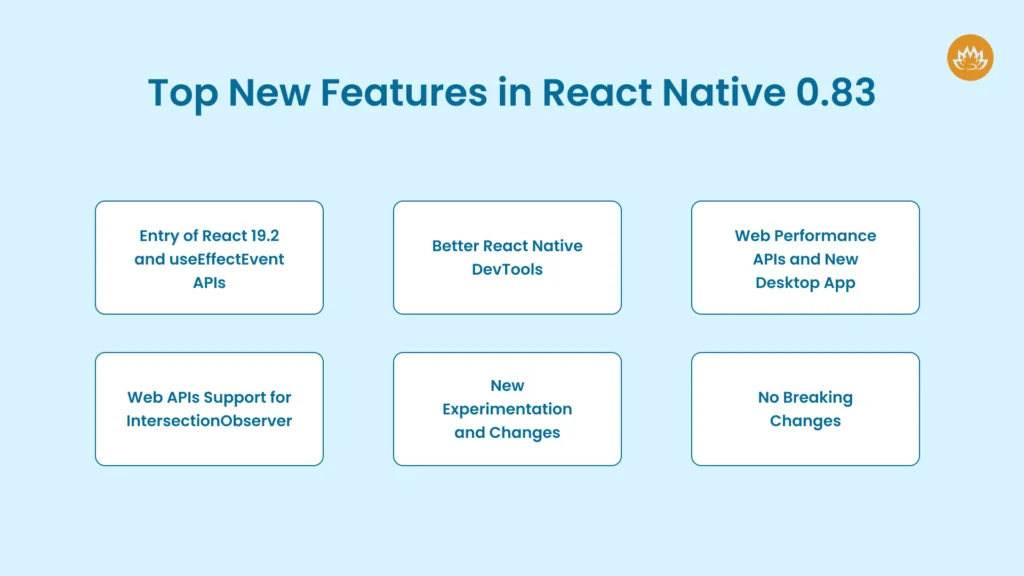
Entry of React 19.2 and useEffectEvent APIs
React Native 0.83 supports React 19.2 and has introduced a component that works well with the useEffectEvent API. You can now break down your applications and manage each activity in a controlled and prioritized manner. Also, you can use Activity as an option to render parts of your React Native app. At present, it supports two models, namely visible and hidden.
The visible displays the children, mounts effects, and permits regular processing of updates. The children are hidden, effects are unmounted, and all updates are postponed until React stops working.
On the other hand, useEffect is used to inform the application code of an external system event. You may extract the event portion of this logic from the Effect that emits it by using the useEffectEvent.
Better React Native DevTools
New DecTools was one of the most-awaited updates that developers wanted with React Native 0.83. The network and performance panel allows you to view and understand the network systems that are requested by your application or a team. While tracing performance, you get metadata from the logged request, such as previews and timings.
As an experienced software development company, our team is delighted to use the initiator tab for the very first time. We can now see where the code network request originates and can trace performance, leading to performance session recording within the application. Moreover, the latest version also enables JavaScript execution, React performance tracks, Network events, and custom user timings.
Web Performance APIs and New Desktop App
The support for web performance APIs with React Native 0.83 upgrade is phenomenal. You can now get clear visibility into React Native apps and understand why they are slow. The React Native team has put a lot of effort into introducing an extensive desktop experience with our new bundled desktop application. There are features such as zero-install setup and faster launch via the desktop binary.
On macOS, windowing features improved multitasking, auto-raise while reconnecting to the same application, auto-raise on breakpoint, and preserved window arrangement upon reload.
Additionally, by running DevTools independently of a personal browser profile, React Native 0.83’s performance improvements have increased reliability. This specifically fixes bug reports and certain pre-installed Chrome add-ons that interfere with React Native DevTools.
Web APIs Support for IntersectionObserver
The Web APIs are now brought directly into the apps via React Native 0.83. There is a feature named IntersectionObserver in the canary that helps developers observe layout intersections between the ancestor and target elements.
Previously, with React Native 0.82, there was a subset of Performance APIs. Now, in this new version, APIs are more stable and available on the web. There is also a high resolution time that defines performance.now() and performance.timeOrigin. The performance timeline determines the PerformanceObserver and the various methods for accessing performance entries.
In the Web APIs, the user timing can now mark performance and measure events. The event timing API contains entry types reported to PerformanceObserver, and the long tasks API allows you to report various entry types.
New Experimentation and Changes
React Native 0.83 includes many experimental changes, including Hermes V1 and improved debugging. Hermes V1 is the new form of Hermes and comes with a compiler and a significant boost in JavaScript performance. With this new release, the React Native developers have implemented the ability to debug the React Native code shipped with a precompiled binary. This will help the library maintainers and also the development team using native module or component. For debugging the binary code mapped with the React Native precompiled binary, you can follow the steps:
# From the ios folder of your project
bundle exec pod cache clean –all
bundle exec pod deintegrate
RCT_USE_RN_DEP=1 RCT_USE_PREBUILT_RNCORE=1
RCT_SYMBOLICATE_PREBUILT_FRAMEWORKS=1 bundle exec pod install
open .xcworkspace
No Breaking Changes
The first version of React Native without any user-facing breaking changes is 0.83. You don’t need to update to the latest version of React Native if you are using 0.82 and don’t need to alter your app code. Additionally, your developers won’t have to worry about dependency failure when implementing the latest version.
It also involves removing previously supported functionality and ensuring that all public APIs continue to operate as intended. Additionally, this most recent version guarantees a low-risk migration for the development team, allowing you to build applications based on previous 0.8x versions that may transition to React Native 0.83 while preserving existing behavior, test coverage, and runtime stability.
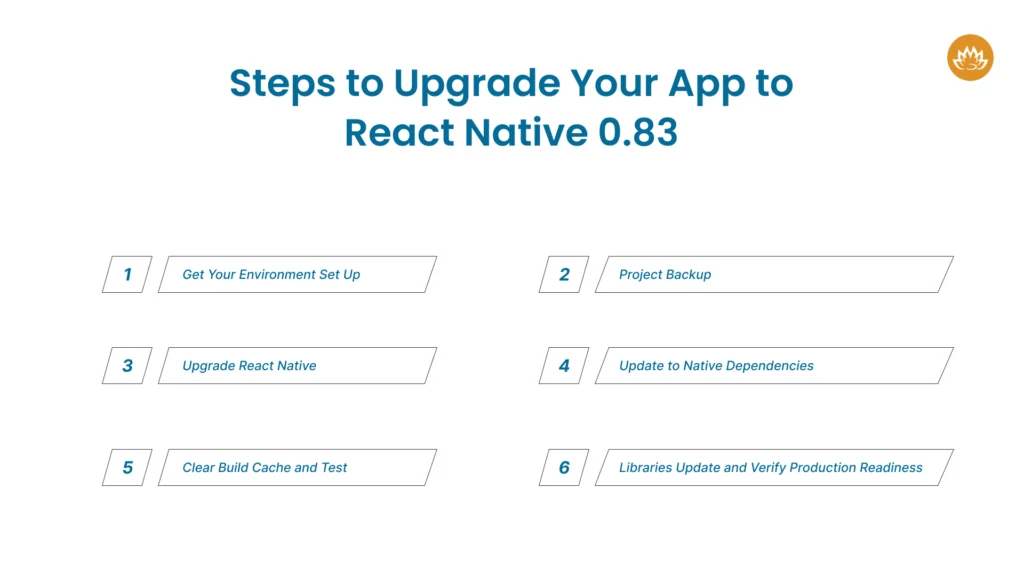
Steps to Upgrade Your App to React Native 0.83
This is a very crucial process. As a mobile app development company, we know the importance of upgrading the React Native app to the latest version, 0.83. You will get the latest enhanced performances, bug fixes, and new features. So here is the step-by-step guide to upgrading your React Native app safely and effectively.
Step1: Get Your Environment Set Up
Before you upgrade your app, make sure all your development tools are compatible. It must have the following features:
- Latest LTS version
- Npm or Yarn latest stable version
- Xcode latest version for iOS builds
- Watchman updated for macOS users
- Android Studio current version with updated Gradle
Step 2: Project Backup
You must back up your code before upgrading to the latest version. So always:
- When you are done, always put it into Version Control
- Make a dedicated upgrade branch
- Always back up your config and environment files
Step 3: Upgrade React Native
Always run the following code first:
npm install react-native@0.83
# or
yarn add react-native@0.83
There is a React Native upgrade helper that lets you choose your current version, e.g., 0.83. You can then review the changes and apply only the important updates.
Step 4: Update to Native Dependencies
For iOS:
cd ios
pod install
For Android:
Sync Gradle files
Check compileSdkVersion and targetSdkVersi
Step 5: Clear Build Cache and Test
Clear cache: npx react-native start –reset-cache
iOS: Clean build folder in Xcode
Android: ./gradlew clean
Run the app:
npx react-native run-ios
npx react-native run-android
Step 6: Libraries Update and Verify Production Readiness
The last step is to update the set of critical third-party libraries and rebuild native modules. What you need to do is:
- Test all production builds on real devices
- Validate CI/CD pipelines and check the app performance
- When all passes, then merge the upgrade branch into the main branch and release.
Final Thoughts
With the React Native 0.83 upgrades, every developer can now perform mature, experience-based engineering. However, upgrading to and building apps with React Native 0.83 can become complicated if you need sharp cross-platform stability and optimal performance. As a trusted React Native development company, we provide a team of developers who handle each phase meticulously and diligently.
When you hire React Native developers from Whitelotus Corporation, you will get stable updates, performance visibility, and future-proof architecture. Our team of experts can develop scalable, production-ready mobile applications for all small and medium-sized businesses. So, if you are planning to upgrade an existing app or need to hire react native developers with experience in React Native 0.83, Whitelotus Corporation knows how to create the best mobile app for your business.